Account Details
You can manage and monitor your AstraDoc account through the Account and Account Usage screens.
Manage your Account
Section titled “Manage your Account”The Account page provides functionality for managing account settings and subscription information.
Account Settings
Section titled “Account Settings”Accounts settings include the name of your account as well as the admin user that is considered the owner of the account. The name of your account will appear on invoices sent to you as part of our billing process. The account owner has access to additional API and subscription settings for the account.
Account Details
Section titled “Account Details”The account details panel contains details and settings for the API and account subscription. Only account owners are able to access the account details panel.
API Key
Section titled “API Key”The API key field contains the authorization key needed when making requests to the AstraDoc API. This key should be kept private and not shared publicly as the use of they key will affect resource usage on your account. You are able to change the key (and render the current key useless) by clicking the Reset API Key button. However, any application that used the old key will need to be updated to use the newly generated key.
Current Plan
Section titled “Current Plan”The Current Plan field displays the subscription plan your account is currently subscribed to. To update or view more information about your subscription, including the payment details used to pay for the subscription, you can click on the Manage Subscription via Stripe button.
Stripe is the payment platform AstraDoc uses to ensure payments between you and our system remain secure. AstraDoc does not store any of your credit card details on our servers. Instead we offload that information to Stripe, an organization dedicated to secure online transactions. You can learn more about Stripe here.
Clicking on the Manage Subscription via Stripe button will redirect your browser to the Stripe Customer Portal for your AstraDoc account:
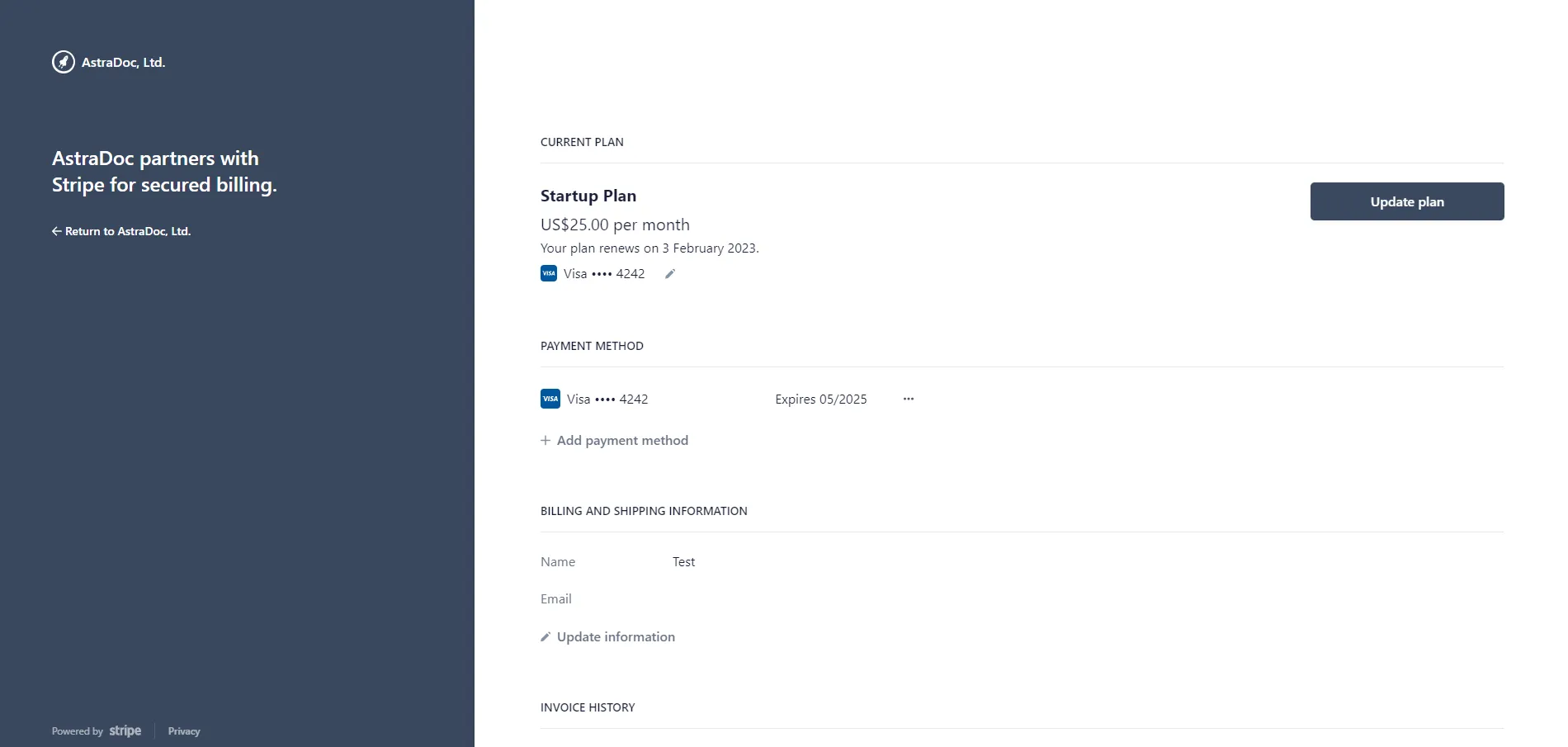
You can use the Customer Portal to Change your plan (via the Update Plan button), add or remove Credit Cards, edit your billing information and view a list of past invoices billed to your account.
Clicking on the Update Plan button will provide you with a list of available plans:
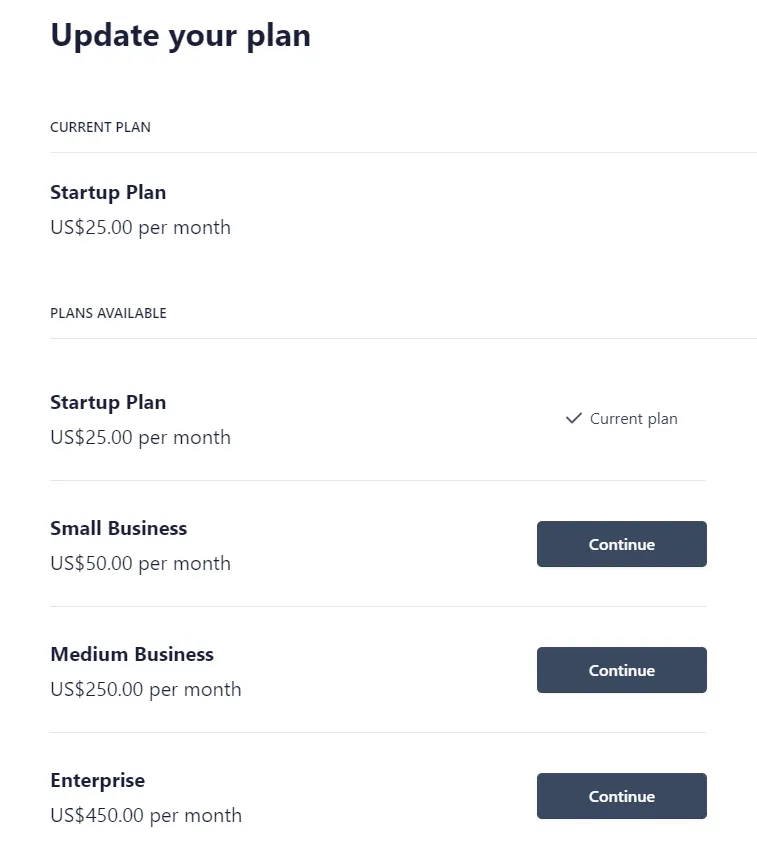
When upgrading or downgrading your account, you will be billed a prorated amount immediately.
Monitoring Account Usage
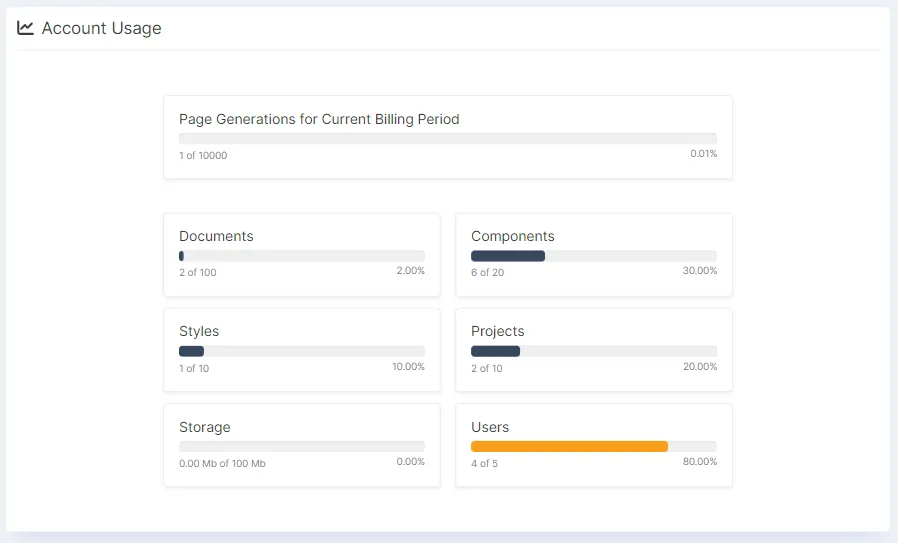
Section titled “Monitoring Account Usage”You can monitor the usage analytics of your account through the Account Usage page. The Account Usage page will display a list of key resources tied to your subscription, including both the consumption of those resources and their limits.
It’s important to keep an eye on these metrics to ensure your account does not exceed the usage limit permitted by your subscription level.