
Image Element
The Image element provides functionality for rendering PNG and JPEG images in your documents. Images need to link to image assets in your account which need to be uploaded before rendering, either via the Assets upload modal within the app or via the Assets API.
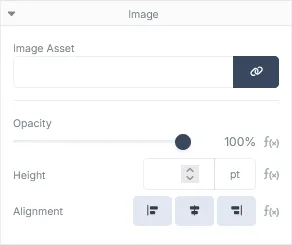
Image Properties
Section titled “Image Properties”| Field | Description |
|---|---|
| Image Asset | The image asset linked to the element. Clicking the Select Asset button will display the Assets modal where you will be able to select the image asset to link. If the image is to be dynamic, mustache syntax can be used to link the image asset via a JSON payload property. This will need to be the GUID of the image returned when creating the asset via the Asset API |
| Opacity | How opaque the rendered image should be. |
| Height | The rendered height of the image in points. By default, the image will render at its original height and width. Adjusting the height of the image will also adjust its width, the aspect ratio of the image will remain the same as the original image regardless of height provided. |
| Alignment | The alignment of the image within its bounds. This is only useful if the width of the Image element bounds is larger than the width of the linked image asset. |