
Dynamic Attribute Overrides
Dynamic Attribute Overrides allow the attributes of document elements to be overriden during the render stage based on the result of a boolean logic expression built using the Logic Designer.
Most element attributes can be overriden. Attributes that appear in the Element Properties Panel containing an f(x) icon alongside it can be overriden:
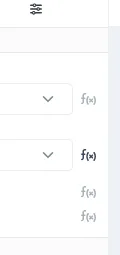
When the f(x) icon appears darkened, it indicates that the attribute currently has dynamic overrides applied to it.
Applying Attribute Overrides
Section titled “Applying Attribute Overrides”Applying attribute overrides to an attribute is done through the Dynamic Attributes modal. Clicking on the f(x) icon for an attribute will display the Dynamic Attributes modal, clicking on the Add Override button within the modal will add a new override to the element, The type of value input for the override will depend on the type of attribute being overriden:
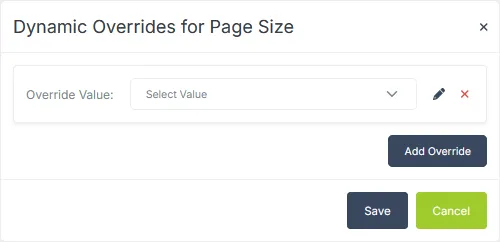
If the logic expression for that override resolves to true, the attribute for the element will take on the value given in the input.
Clicking on the pencil icon will launch the Logic Designer, allowing you to define the boolean expression used to determine whether to apply this override or not. Clicking on the red x icon will remove the attribute override.
Changes made to the overrides are not applied until the Save button is clicked and the modal closed.